
SIM Owner Details
In today’s digital world, mobile numbers are connected to many important services such as banking, social media, online shopping, and communication. Because of this, many people want to know how to check SIM owner details and verify how many SIM cards are registered under their CNIC.
Whether you want to confirm your own SIM registration, check the number of active SIMs linked to your CNIC, or understand the legal way to verify SIM information in Pakistan, this guide will explain everything in simple words.
What Are SIM Owner Details?
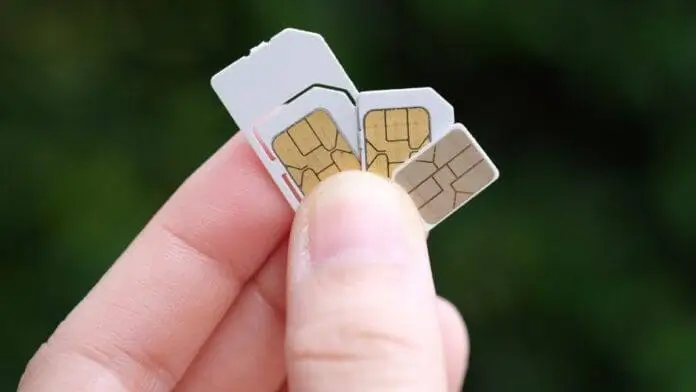
SIM owner details refer to the registration information associated with a mobile SIM card. This information is usually maintained by mobile network operators and regulated by the Pakistan Telecommunication Authority (PTA).
SIM owner details may include:
- Name of the registered user
- CNIC number (partially masked in official systems)
- Mobile network operator
- Number of SIMs registered
- SIM registration status
Important:
In Pakistan, personal SIM information should only be accessed through legal and authorized methods. Accessing someone else’s private data without permission may violate privacy laws.
Why People Search for SIM Owner Details
Many users search for this information for genuine reasons, such as:
- Checking how many SIMs are registered under their CNIC.
- Verifying an unknown number.
- Detecting unauthorized SIM registrations.
- Protecting themselves from fraud.
- Managing family or business mobile connections.
How to Check SIMs Registered on Your CNIC
The safest and most reliable way is through the official PTA SIM Information System.
Method 1: PTA SIM Information System
Follow these steps:
- Open the official PTA SIM Information System.
- Enter your 13-digit CNIC number (without dashes).
- Complete the verification process.
- View the number of SIMs registered against your CNIC.
What you can see:
- Total active SIMs
- Network-wise SIM count (Jazz, Zong, Ufone, Telenor, etc.)
- Whether any unknown SIMs are linked to your CNIC
Method 2: Check via SMS
PTA also provides an SMS-based verification service.
Steps:
- Open your phone’s messaging app.
- Type your CNIC number without dashes.
- Send it to 668.
- You will receive a reply showing the number of SIMs registered under your CNIC.
How to Verify Your Own SIM Ownership
If you want to confirm whether a specific SIM is registered in your name:
- Visit the nearest franchise or customer service center of your mobile network.
- Carry your original CNIC.
- Request SIM ownership verification.
- The representative will confirm the registration status.
Can You Check Someone Else’s SIM Owner Details?
The legal answer is: No
Due to privacy and data protection laws, telecom operators generally do not allow public access to another person’s SIM registration details.
You should only check:
- Your own SIMs
- SIMs registered under your CNIC
- Information accessed with proper authorization
How Many SIMs Can Be Registered on One CNIC?
According to PTA regulations, a Pakistani citizen can register up to 5 SIMs on a single CNIC.
Example
| Network | SIMs Allowed |
|---|---|
| Jazz | Up to 5 (combined limit) |
| Zong | Up to 5 (combined limit) |
| Ufone | Up to 5 (combined limit) |
| Telenor | Up to 5 (combined limit) |
What to Do If an Unknown SIM Is Registered on Your CNIC
If you discover a SIM that you do not recognize:
Take these steps immediately
- Visit the relevant mobile operator’s franchise.
- Request verification of all numbers linked to your CNIC.
- Ask for the unauthorized SIM to be blocked or transferred according to PTA procedures.
- Keep a copy of your complaint for record.
Benefits of Checking SIM Owner Details
- Better Security
- Protect yourself from identity misuse.
- Manage Your SIMs
- Keep track of all active numbers.
- Prevent Fraud
- Detect unauthorized registrations early.
- Secure Banking Services
- Ensure mobile banking numbers belong to you.
Common Questions About SIM Owner Details
Is checking SIM owner details free?
PTA’s online system is generally free. The SMS service may have a small operator charge.
Can I check a SIM using only a phone number?
Official public systems usually do not provide personal ownership details based solely on a phone number.
Is it legal to search someone else’s SIM information?
No. Accessing another person’s private telecom data without authorization may be illegal.
How often should I check my registered SIMs?
Checking every few months is a good security practice.
Tips to Keep Your SIM Information Safe
- Never share your CNIC copy unnecessarily.
- Register SIMs only through authorized franchises.
- Keep your SIM biometric verification updated.
- Regularly check the number of SIMs linked to your CNIC.
- Report lost or stolen SIMs immediately.
Final Thoughts
SIM owner details are important for personal security, fraud prevention, and managing your mobile connections. In Pakistan, the safest way to verify SIM information is through official PTA services or authorized telecom franchises.
Always remember that privacy laws exist to protect users. Use SIM verification tools responsibly and only for checking your own registered information or information accessed with proper consent.